Your Home Page
Discover the features available on your home page
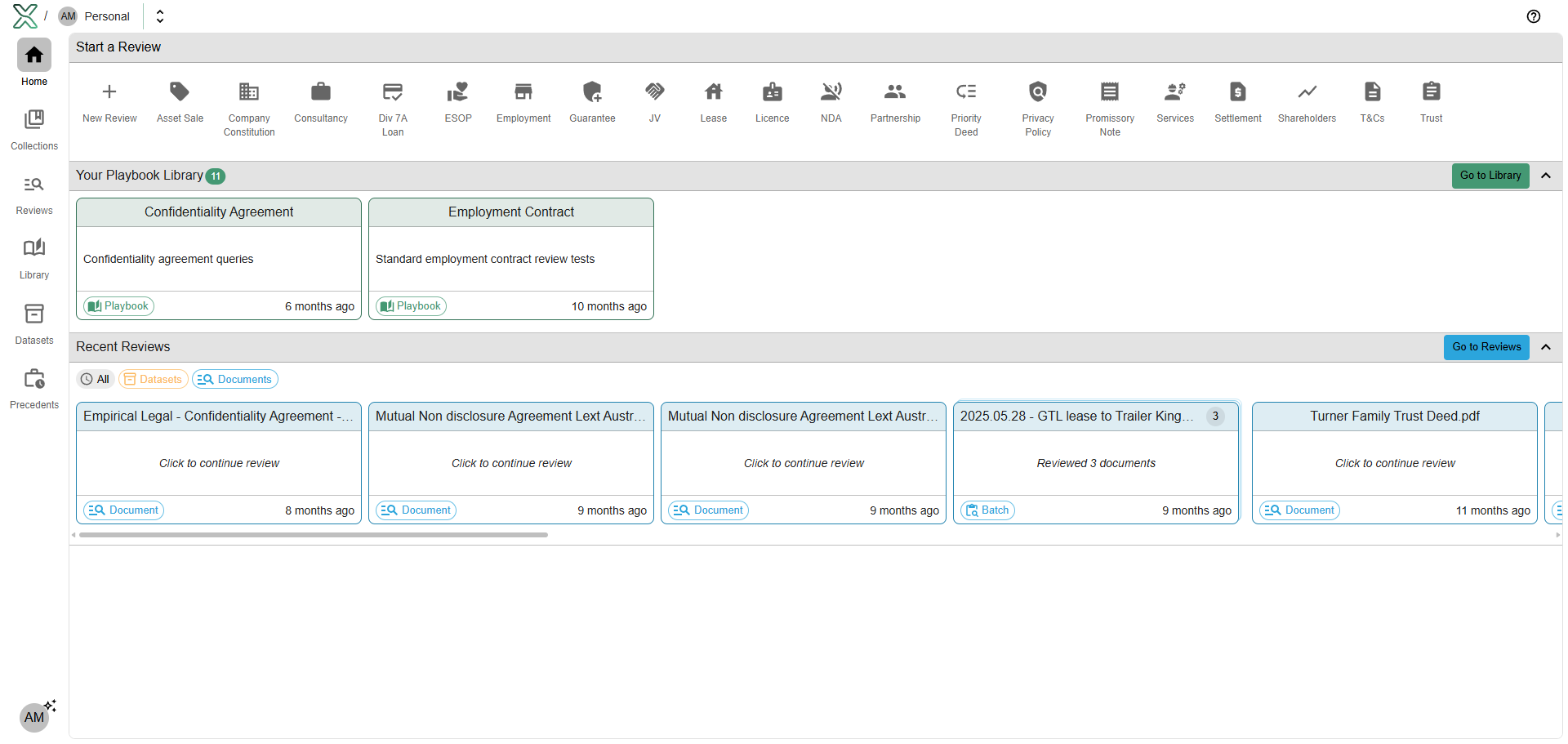
Start a Review
The quickest way to start a review is right from your home page. In the top panel, you may start a review, either:
From scratch, by clicking + New Review
From a Starter Kit, by:
Selecting the base starter kit (e.g. “Asset Sale”)
Selecting the party to interact from the perspective of (e.g. “Buyer” or “Seller”), if available
Selecting the variant of the starter kit (e.g. “simple” or “extensive”), if available.
Your Playbook Library
Access your playbook library directly from the home page. Each stored playbook will appear as a card, and may be used for a new review simply by clicking it.
Recent Reviews
A list of your recent reviews is also available on your home page. Reviews can be filtered by document or dataset.
Note: Only saved reviews will appear in the review history. If a review is not saved, it will be lost.
Was this helpful?